Available Enhancements
Complete reference of all image enhancement options available through the Quickhome AI API.
Exterior Enhancements
Exterior enhancements transform property exteriors using public imagery sources or your uploaded photos.
grass_enhancementGrass Enhancement
Transform brown or patchy lawns to appear lush, healthy, and vibrant green. Perfect for properties photographed during off-seasons or drought conditions.
Before
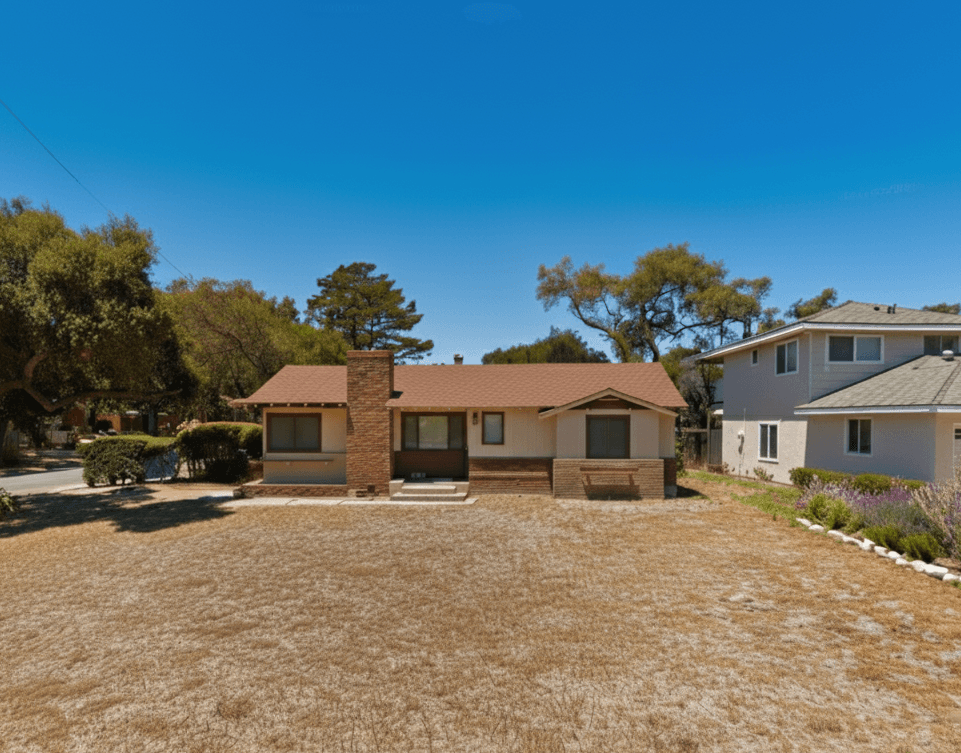
After
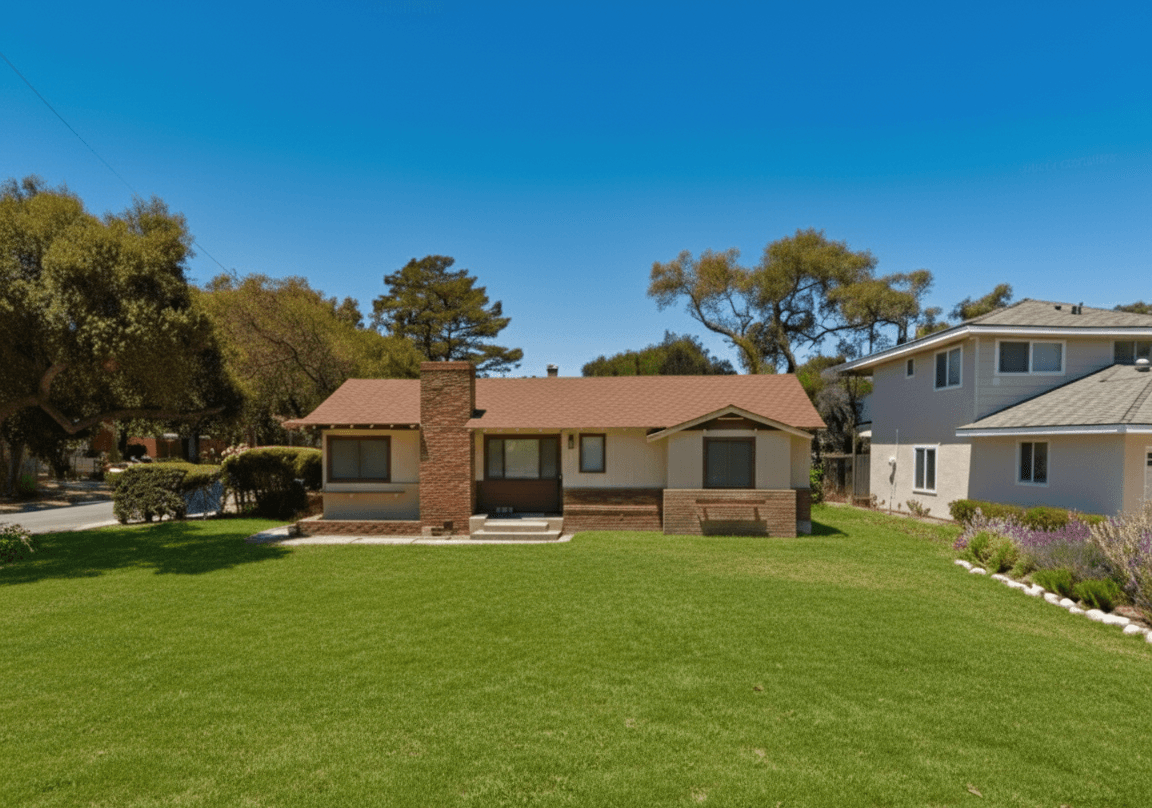
sky_enhancementBlue Sky
Replace overcast, gray, or cloudy skies with vibrant blue skies and natural-looking clouds. Creates an inviting, sunny atmosphere that enhances property appeal.
Before
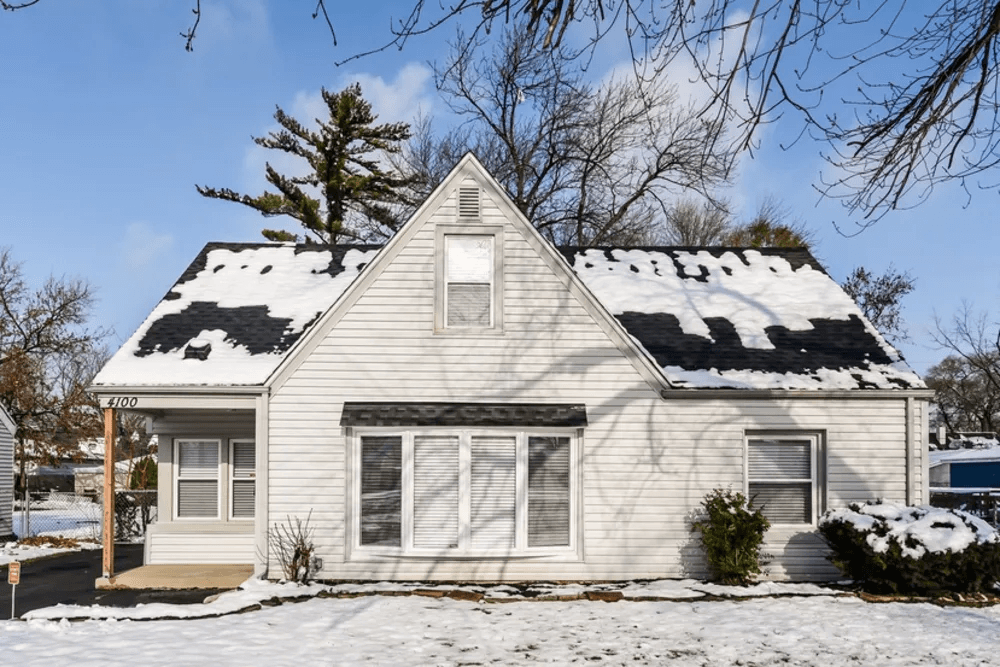
After
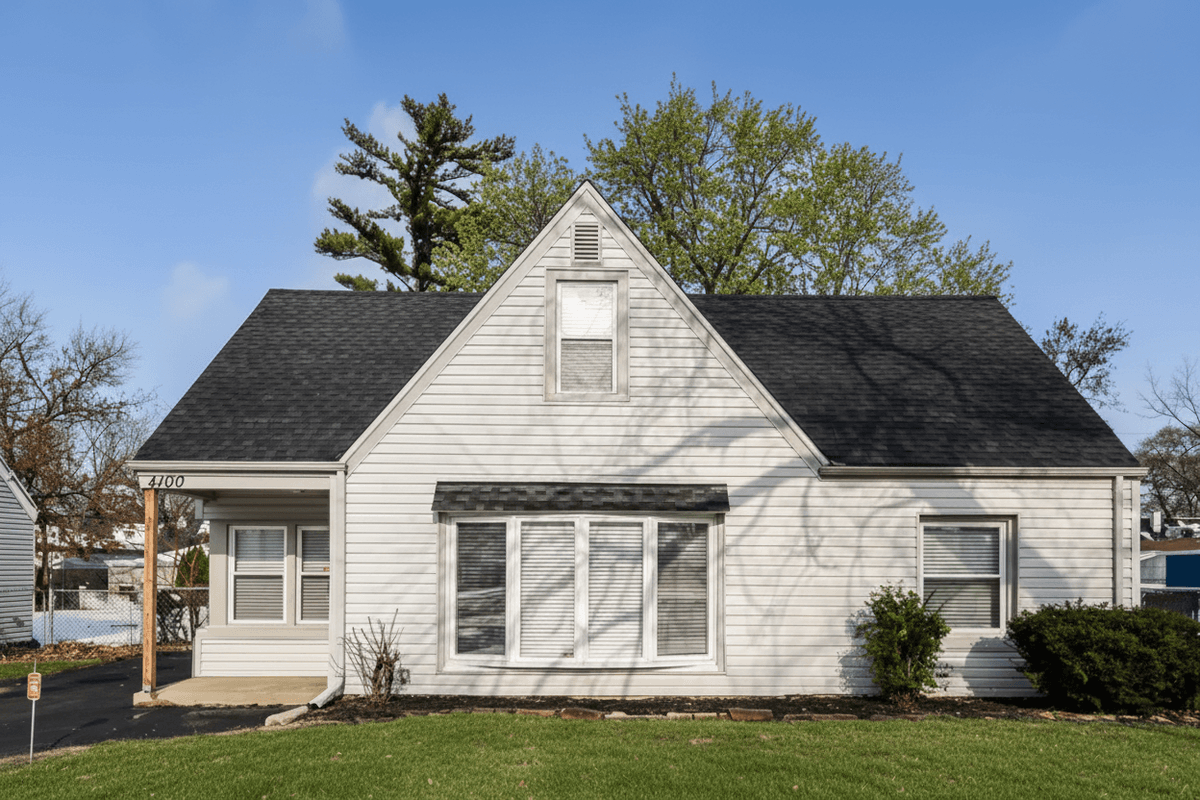
golden_hourGolden Hour
Apply warm sunset lighting with a soft golden glow and natural shadows. Creates a premium, magazine-quality look that highlights architectural features.
Before
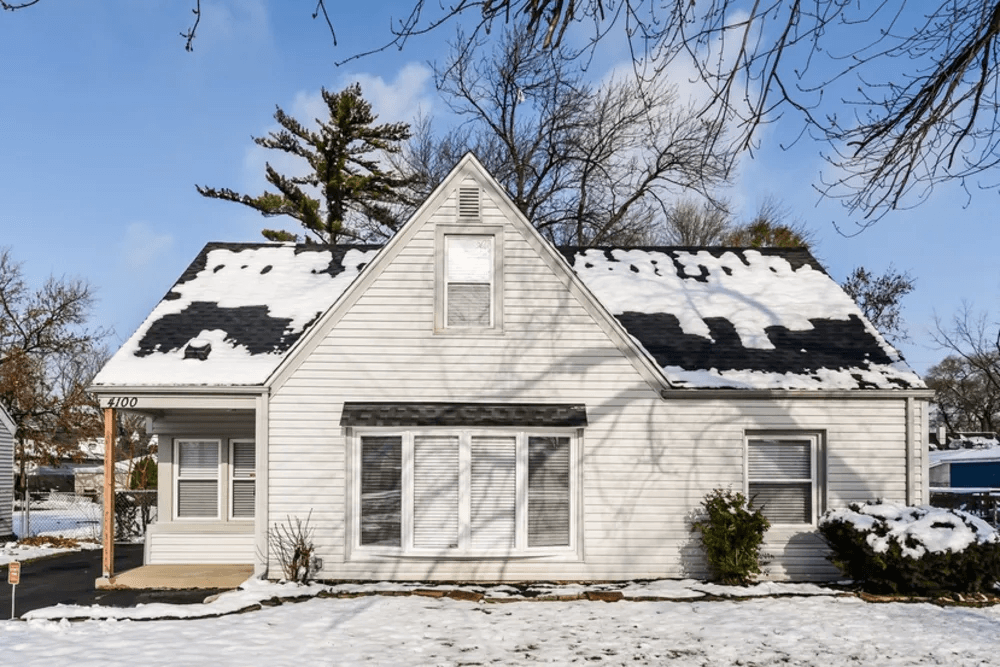
After
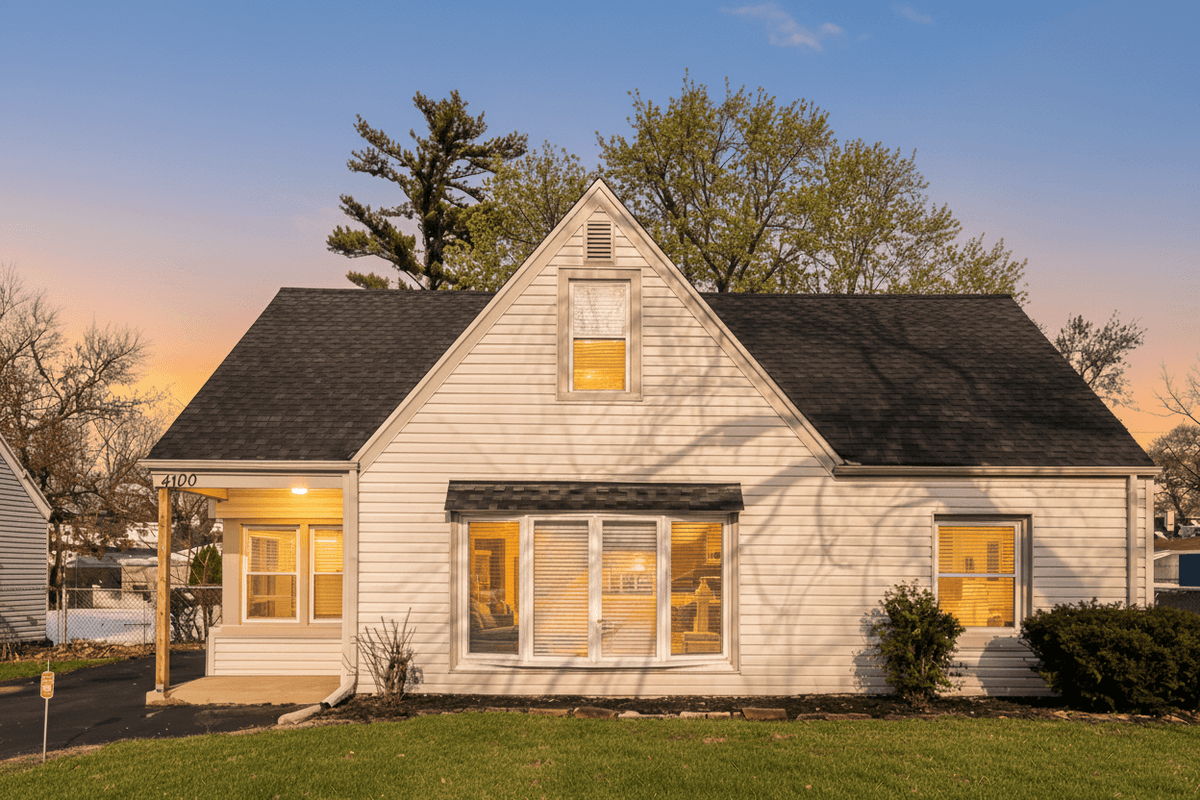
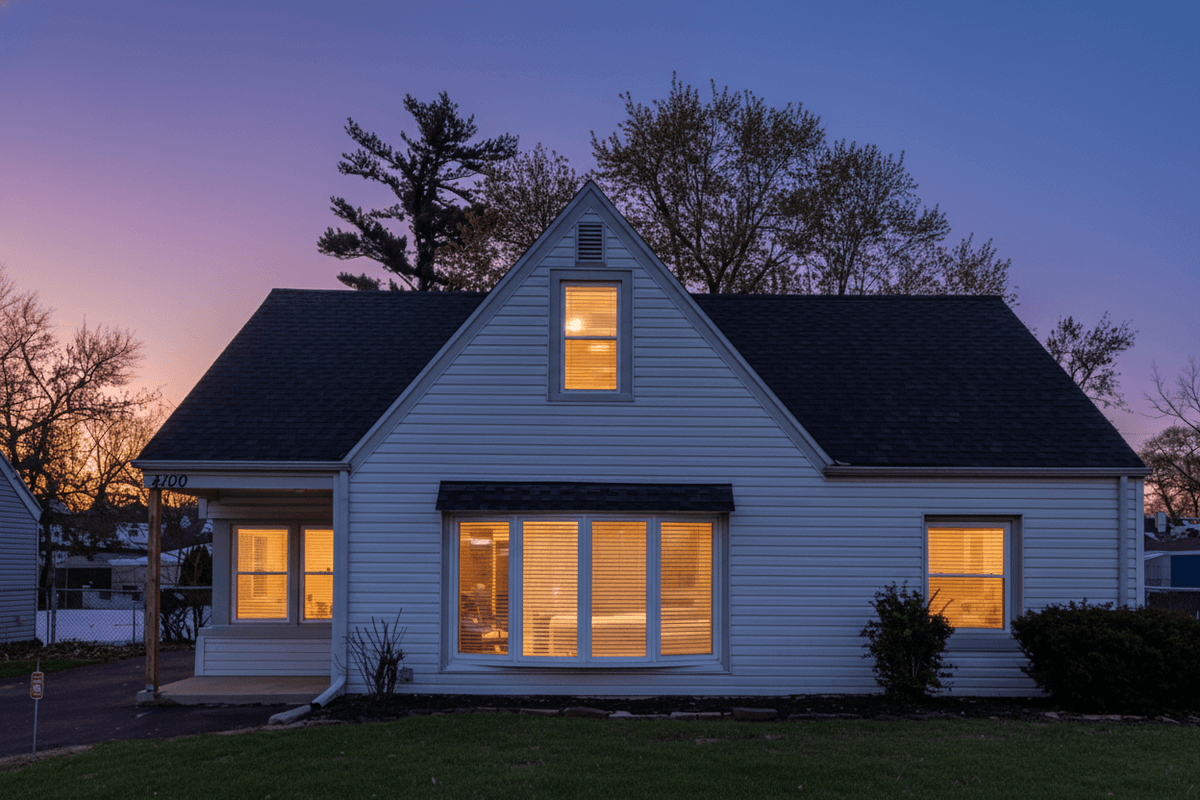
twilight_conversionTwilight
Convert daytime photos to professional dusk photography with a deep blue sky and warm interior lights glowing through windows. The most dramatic enhancement available.
Before
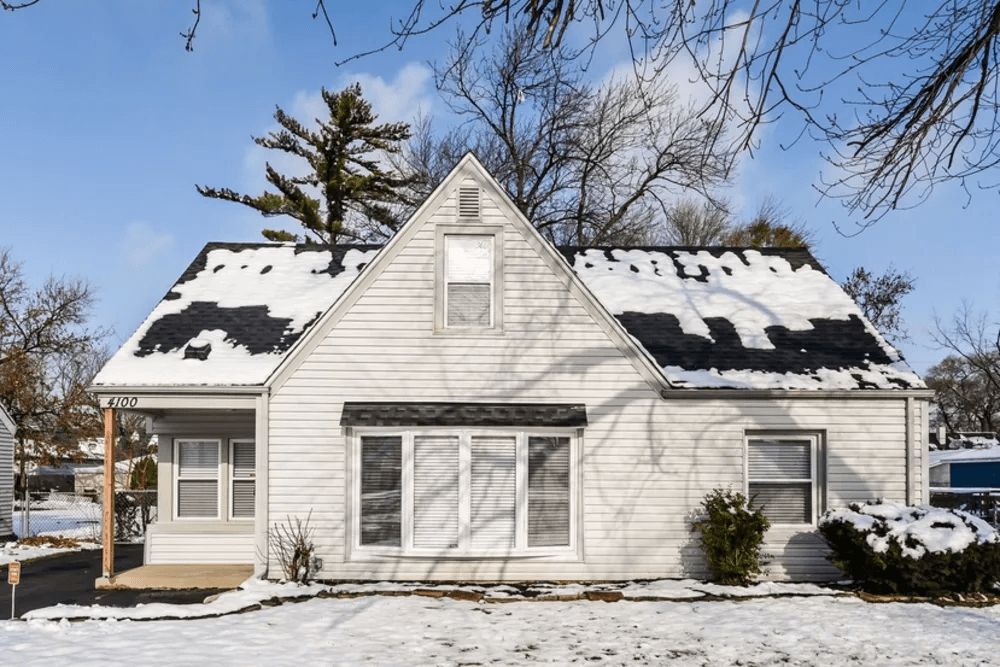
After
Suggested Exterior Combinations
- -
grass_enhancement+sky_enhancement- Perfect weather presentation - -
golden_hour+grass_enhancement- Premium sunset showcase - -
twilight_conversion+grass_enhancement- Dramatic evening shot
Interior Enhancements
Interior enhancements require you to upload your own photos of the property interior.
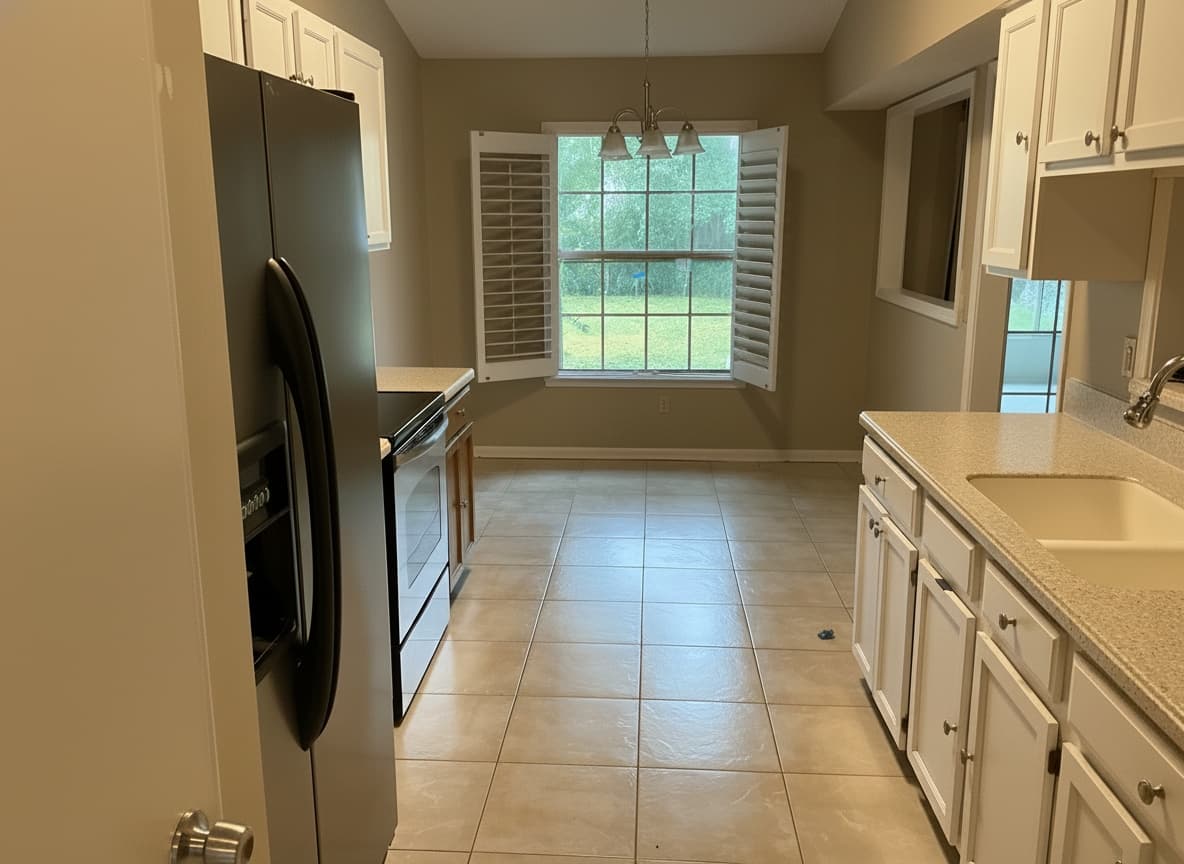
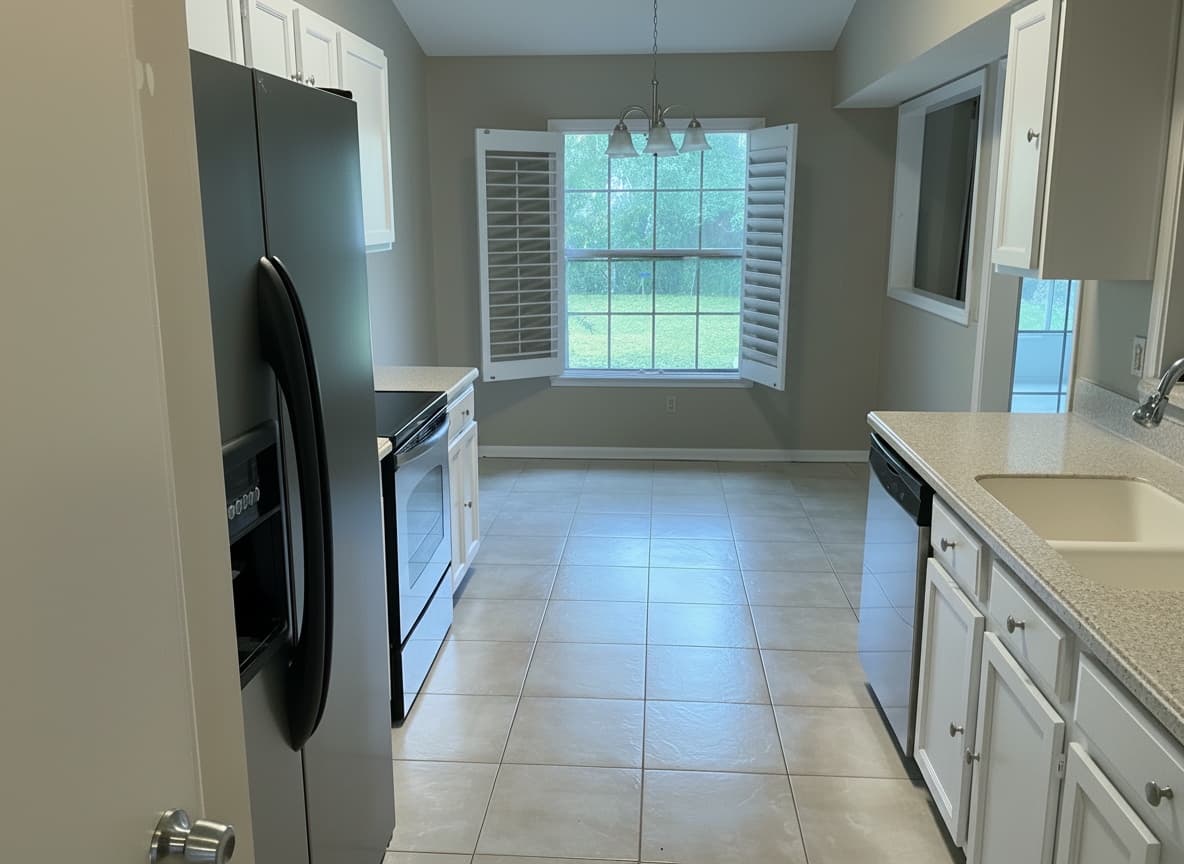
hdr_enhancementHDR/Flambient Enhancement
Balance interior and exterior exposures with professional HDR processing. Prevents blown-out windows while maintaining proper room lighting. Essential for window-heavy spaces.
Before
After
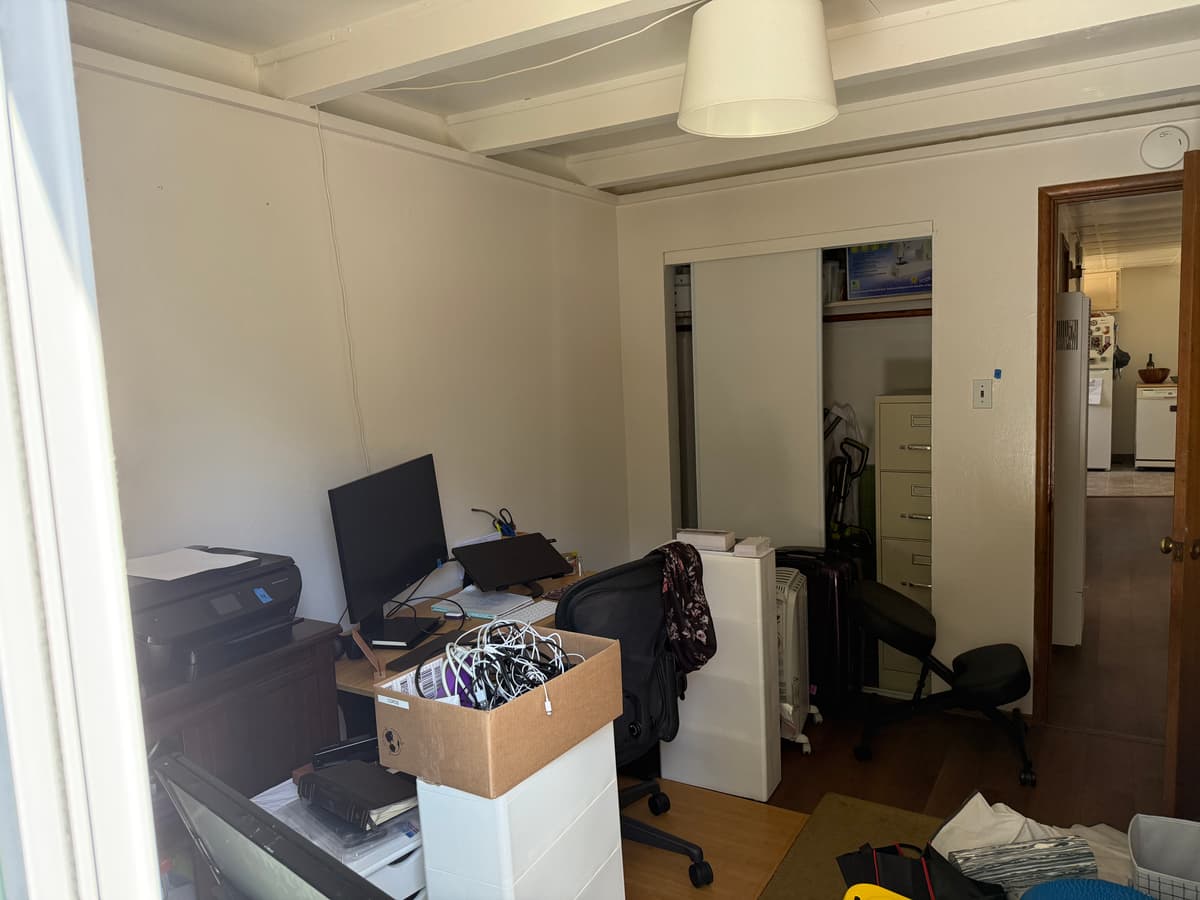
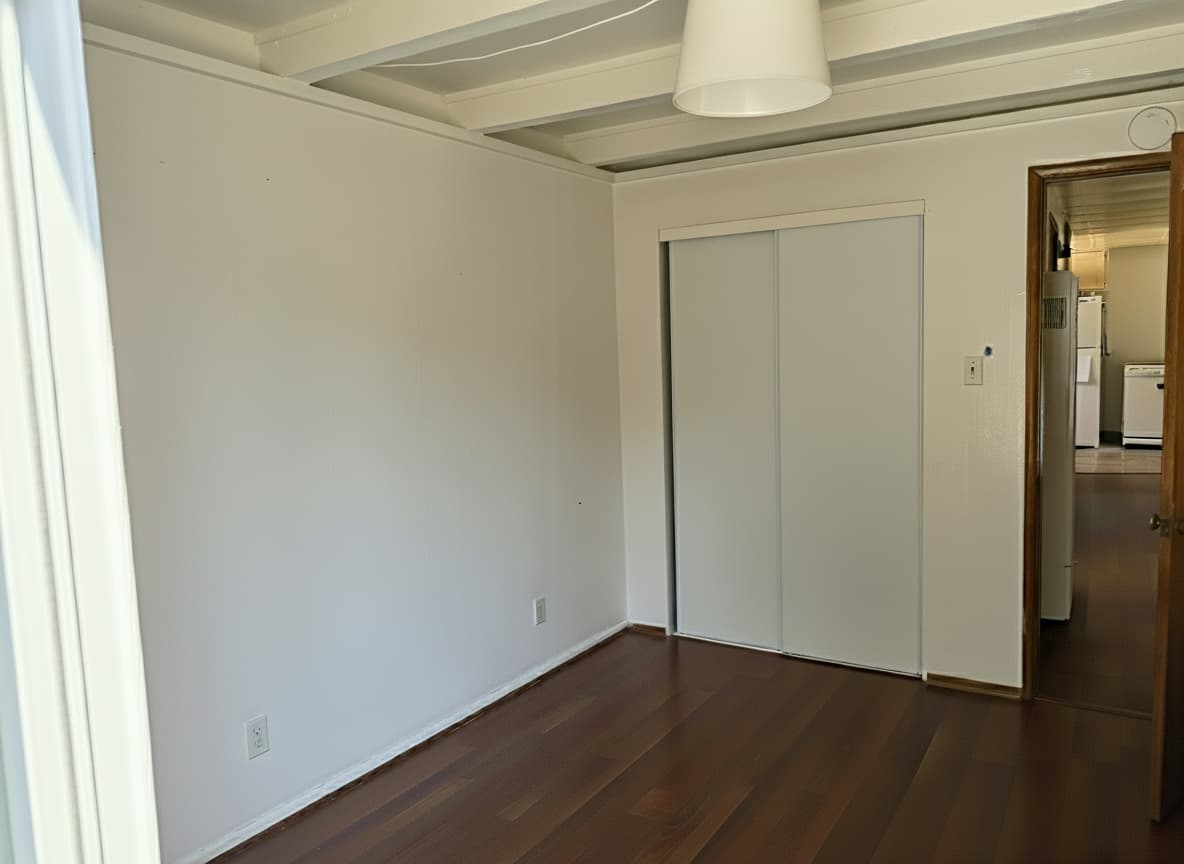
declutterDeclutter & Clean
Automatically remove clutter, personal items, and minor imperfections from interior photos. Creates a clean and inviting space while maintaining the room's authentic character.
Before
After
furniture_removalFurniture Removal
Remove existing furniture and furnishings from interior photos, leaving an empty, clean space ready for virtual staging or to highlight potential.
Note: This feature works best when followed by virtual staging
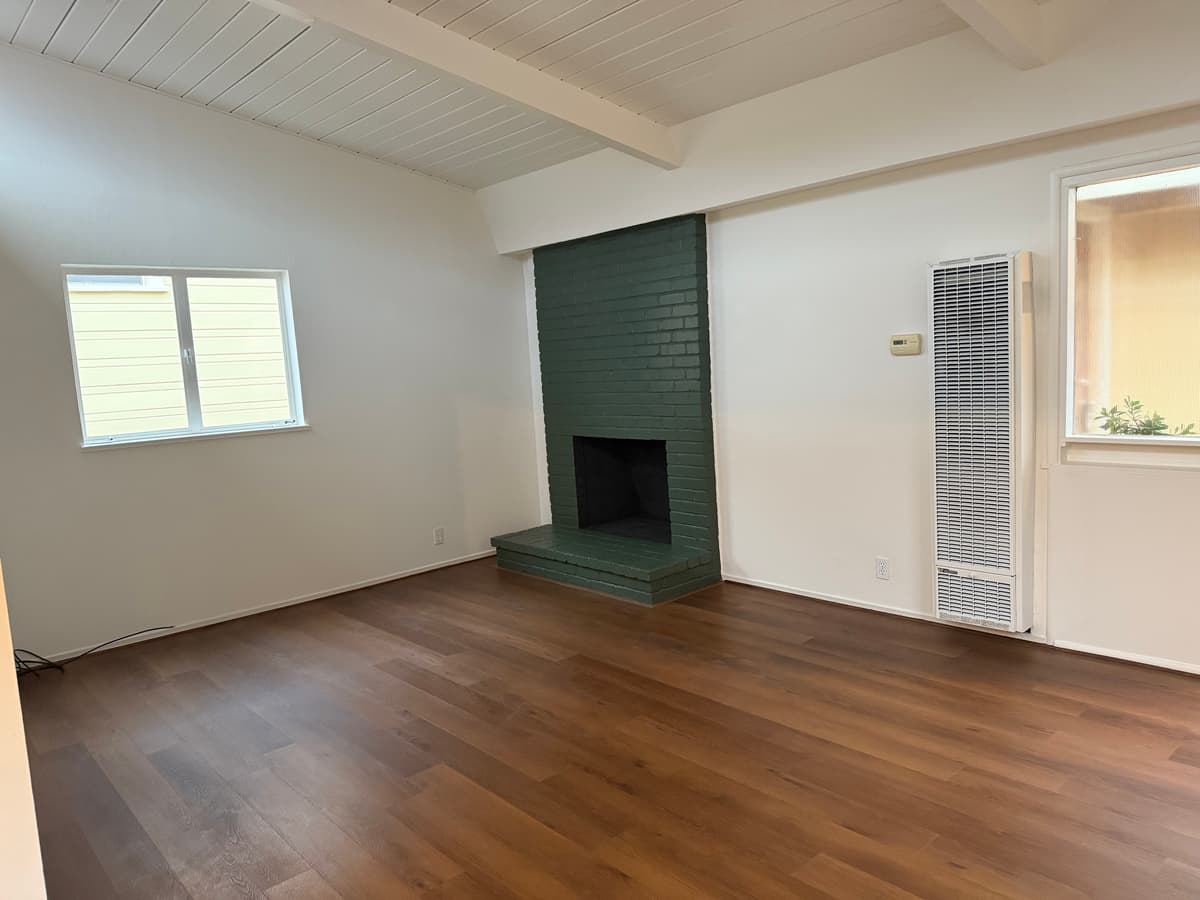
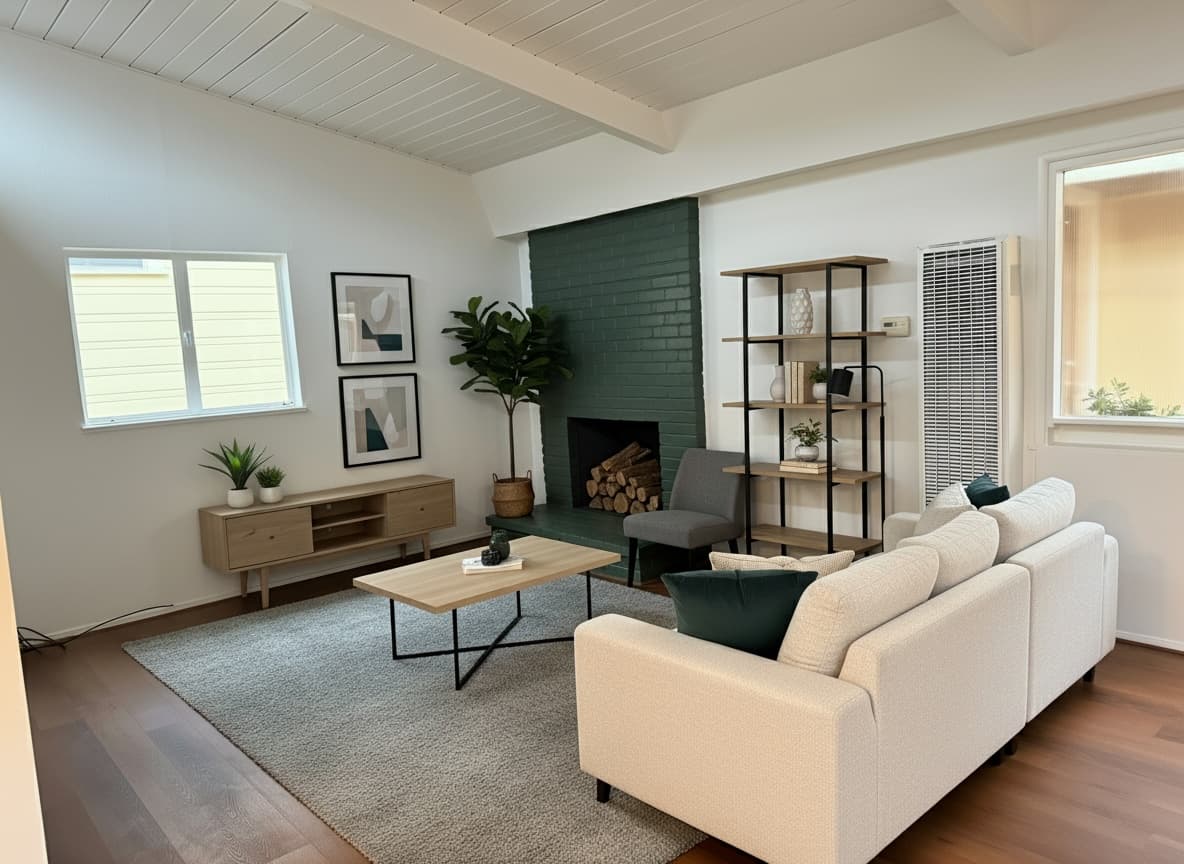
virtual_stagingVirtual Staging
Add stylish, realistic furniture and decor to empty or sparsely furnished rooms. Makes spaces more appealing and easier for potential renters/buyers to envision.
Before
After
virtual_renovationVirtual Renovation
Visualize renovation changes before construction begins. Replace floors, walls, cabinets, countertops, fixtures, lighting, backsplash, and appliances with AI-generated alternatives. Provide text descriptions or reference images for each change.
Supported Change Types
floorwallscabinetscountertopsfixtureslightingbacksplashappliancesexteriorotherRenovation Request Format
Each renovation is specified per photo using the renovations field in the order request. Provide a changeType, changeDescription (min 10 chars), and either a referenceText or referenceImages.
{
  "renovations": {
    "0": [
      {
        "changeType": "countertops",
        "changeDescription": "Replace laminate countertops with white quartz",
        "referenceType": "text",
        "referenceText": "White quartz countertops with subtle gray veining"
      },
      {
        "changeType": "cabinets",
        "changeDescription": "Paint cabinets navy blue with brass hardware",
        "referenceType": "text",
        "referenceText": "Navy blue shaker cabinets with brushed brass pulls"
      }
    ]
  }
}
Pricing: 1 credit per individual renovation change (not per photo).
Example: 2 photos with 3 renovations each = 6 renovation credits + any other enhancement credits.
Virtual Staging Configuration
When using virtual_staging, you can optionally specify a furniture style and room type per photo using the virtualStaging field.
Staging Styles
modern - Clean lines, neutral colorscontemporary - Warm neutralsminimalist - Essential furnishingsfarmhouse - Cozy, natural texturesscandinavian - Light, simplicitycoastal - Soft whites, breezymid_century_modern - Iconic, warm woodtraditional - Classic, balancedRoom Types
living_roomdining_roomkitchenbedroombathroomofficebasementoutdoor_spaceother{
"virtualStaging": {
"0": { "style": "modern", "roomType": "living_room" },
"1": { "style": "farmhouse", "roomType": "bedroom" }
}
}Suggested Interior Combinations
- -
declutter+hdr_enhancement- Clean and balanced - -
furniture_removal+virtual_staging- Transform empty to furnished - -
flambient_enhancement+declutter- Professional occupied property
How to Use Enhancements
Enhancements are specified when creating an order via the /api/v1/orders endpoint. You can apply global enhancements to all exterior or interior photos, or use photoConfigs for per-image control.
Global Enhancements Example
curl -X POST https://www.quickhome.ai/api/v1/orders \
  -H "Authorization: Bearer YOUR_API_KEY" \
  -F "address=266 Dana Point Ave, Ventura, CA 93004, USA" \
  -F "serviceType=both" \
  -F 'exteriorEnhancements=["sky_enhancement", "grass_enhancement"]' \
  -F 'interiorEnhancements=["hdr_enhancement", "declutter"]' \
  -F "interiorPhoto0=@/path/to/your/living-room.jpg;type=image/jpeg"
Per-Image Enhancements Example
curl -X POST https://www.quickhome.ai/api/v1/orders \
  -H "Authorization: Bearer YOUR_API_KEY" \
  -F "address=456 Oak Ave, Anytown, CA 90210" \
  -F "serviceType=both" \
  -F 'photoConfigs=[{"photoType": "exterior", "enhancements": ["sky_enhancement", "golden_hour"]}, {"photoType": "interior", "enhancements": ["virtual_staging"]}]' \
  -F "exteriorPhoto0=@/path/to/your/front-exterior-golden.jpg;type=image/jpeg" \
  -F "interiorPhoto0=@/path/to/your/empty-living-room.jpg;type=image/jpeg"
Related Documentation
- - Create Order API - How to apply enhancements
- - Quickstart Guide - Try enhancements in action
- - Photo Upload Guide - Upload photos for interior enhancements